Homeowners design their yard on your site. You get the lead.
YardSource Pro is one platform for the whole sale and the whole job: an AI yard designer on your own branded website, ballpark estimates from your price book, a lead pipeline and CRM, plus Field App and Plan Builder add-ons for your crews and your drafting.
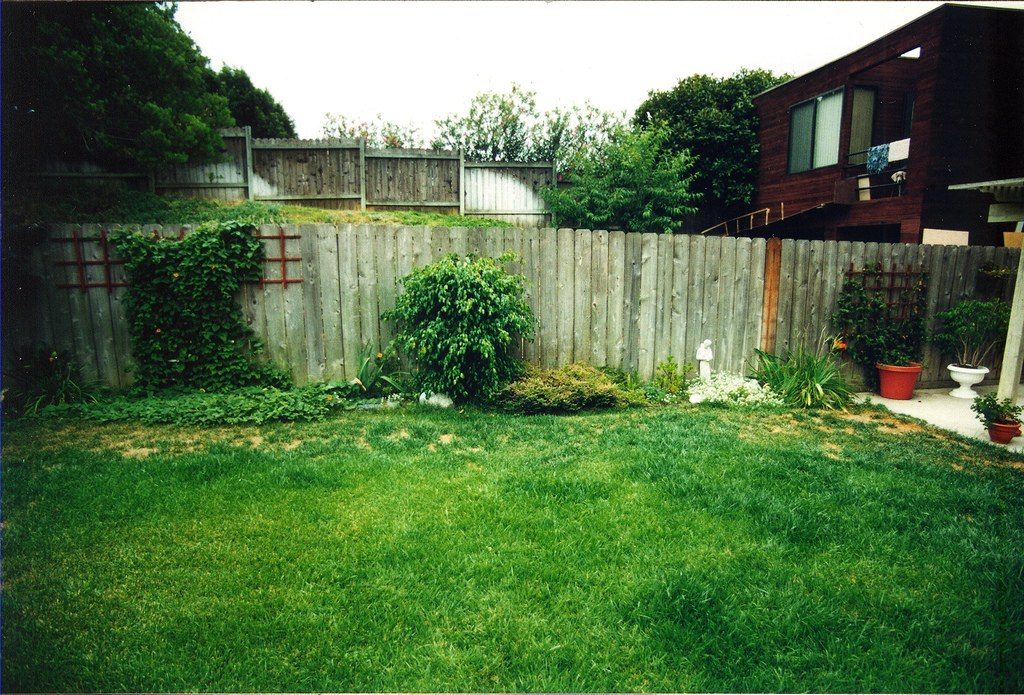
 Their photo
AI design
Backyard makeover
Their photo
AI design
Backyard makeover
Ballpark estimate price book: yours
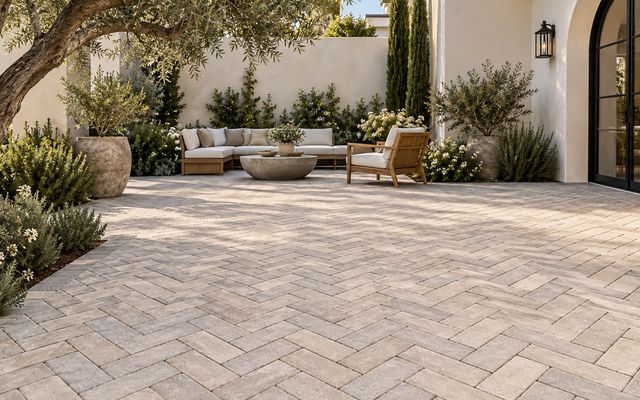
Example before photos from Wikimedia Commons, cropped and edited: "Backyard" by Mountain Mike Johans… (CC BY 3.0); "Beautiful Trees In A Backyard" by Chase Bohannon (CC0); "Birds in backyard, MN (2012)" by Sfearion (CC BY 4.0). After images are AI design concepts, not completed projects.
From a yard photo to a qualified lead in one visit
The homeowner does the dreaming on your site. You walk into the consultation knowing what they want and roughly what it costs.
They upload a photo
On your branded design site, on your own subdomain, with your logo and colors.
They pick the look
Features, styles and plants from your offerings. Dream it for ideas, Plan it for a buildable layout.
They see their yard
An AI design of their own yard with the house left unchanged, plus a ballpark estimate and scope of work.
You get the lead
An instant email with before and after photos, and a card in your pipeline ready for follow-up.
Every feature you sell, on their own property
Homeowners choose from the features and plants you offer. Change one feature, try another style, save versions and compare them side by side.








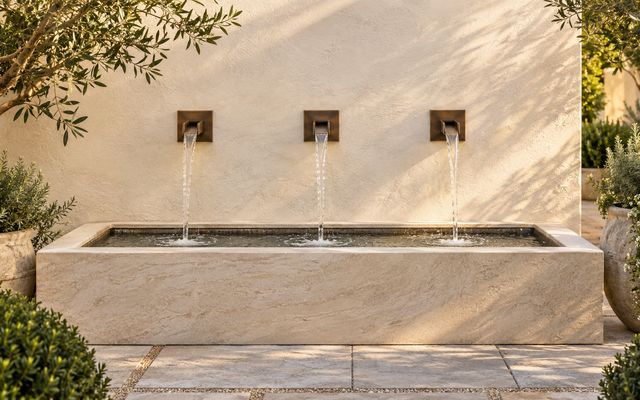


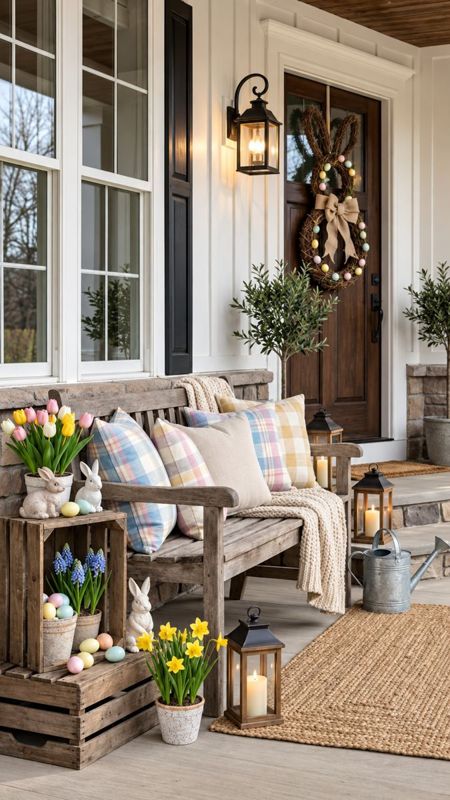
Holiday decorating designs
The same design site sells seasonal work. Homeowners upload a photo of the front of the house and see it decorated for winter holidays, Valentine's, spring, the Fourth of July, Halloween or harvest, then request a quote for the look.



The office side runs on the same data
Your price book drives the homeowner's ballpark, your estimates, your change orders and your crew's bill of materials. Nothing gets typed twice.
Lead pipeline
Every design becomes a lead with photos, features and the ballpark attached. Move it from first design to paid.
CRM board with map
See every lead and job on a map, track usage, and send follow-ups through your email marketing integration.
Price book and estimates
Set your installed prices once. Build estimates by voice and run the materials calculator.
Change orders
Written with AI, sent as a PDF, signed by the client.
Admin and branding
Plant library, your logo and colors, a plan and usage meter, signed design pages, share and compare tools, and a visitor log.
Add the field and the drafting table
Two paid add-ons extend the platform past the sale. They use the same job record as the design site and the estimate.
Field App
Once the job is sold, your crews run it from their phones and the office sees it in real time.
- Crew GPS check-in, check-out and breaks
- Jobs, messaging and photo records
- Timesheets with California overtime payroll
- Receipts and job budgets
- Client update links and proposals with signatures
- Bill of materials pulled from the estimate
Plan Builder
Start from the property address and finish with a dimensioned site plan sheet, a scope of work and a priced proposal.
- Address lookup pulls the parcel line, building outline and an aerial
- Property line and house walls dimensioned automatically, with lot area
- AI reads a homeowner design and drafts the layout
- Areas, pools, plants, plant rows, lighting, hydrozones, walls and labels
- Plant and lighting legends, title block, 24x36 or 11x17 PDF
- Quantities sent to the estimate at your installed prices
One record from the first photo to final payment
YardSource Pro is a proprietary platform we design, build and run ourselves. Each module reads and writes the same job, so the design, the numbers and the crew stay in sync.
// one account, your brand, your numbers
site:      "design.yourcompany.com"
brand:     { logo, colors, offerings }
priceBook: "your installed prices"
pipeline:  ["New", "Design created", "Proposal", "Won", "Paid"]
alerts:    { newLead: "email with before + after" }
modules: {
  designStudio: true,
  estimating:   true,
  crm:          true,
  fieldApp:     "add-on",
  planBuilder:  "add-on"
}
Homeowners see your company, your logo and your offerings.
Each contractor's logins, branding and records are kept separate.
A plan and usage meter in the admin shows where you stand each month.
Start with design, estimating and CRM. Turn on Field App and Plan Builder as you grow.
For the people who sell and build outdoor spaces
Landscape contractors
Turn website visitors into leads who already know what they want, with a ballpark that sets expectations before the site visit.
Design/build companies
Connect the design conversation to estimating, change orders and crew execution in one system.
Landscape architects
Plan Builder produces dimensioned site plan sheets with legends and a scope of work from the same project data.
The same platform, more trades
- Painter editionHouse color designs for exterior paintingComing soon
- Flooring and general contractor editionsDesign, estimate and lead capture for interior and remodel workComing soon
- Supplier orderingOrder the bill of materials and check supplier inventory so materials are on siteComing soon
A monthly subscription, plus the add-ons you need
Plans are set by your monthly design volume and the modules you turn on. We'll review your lead flow on the demo call and recommend a plan, with pricing.
Design, estimating and CRM
Everything you need to turn website visitors into qualified, priced leads.
- Branded homeowner design site on your subdomain
- Ballpark estimates and scope of work from your price book
- Lead pipeline with instant before and after emails
- CRM board with map and email marketing integration
- Estimate builder with voice, materials calculator, change orders
- Holiday decorating designs
- Onboarding to load your prices, plants and branding
Field App
Run sold jobs from your crews' phones.
- GPS check-in and timesheets
- California overtime payroll
- Receipts, budgets and photos
- Client updates and signatures
- BOM from the estimate
Plan Builder
Site plan sheets from an address.
- Parcel, building outline and aerial
- Automatic dimensions and lot area
- AI draft from a homeowner design
- Legends, title block and PDF
- Quantities to the estimate
See it on a real yard photo
Tell us about your company. We'll walk you through the design site, estimating, the CRM and the add-ons.
- Live walkthrough, about 30 minutes
- A design generated from a real yard photo
- Plan recommendation based on your volume
Common questions
Does the AI change the homeowner's house?
No. The design keeps the house as it is and redesigns the yard around it, so homeowners see their own property with new features.
Is the design site branded as my company?
Yes. It runs on your own subdomain with your logo, colors and offerings. Homeowners deal with your company.
Where do the estimate numbers come from?
From the price book you set in the admin. The homeowner sees a ballpark estimate and scope of work, and you control every price behind it.
What is the difference between Dream it and Plan it?
Dream it is for open-ended ideas. Plan it is for a layout closer to what would actually be built and priced.
Are the Field App and Plan Builder included?
They are paid add-ons on top of the core platform. Both use the same jobs and estimates as the office side. Plan Builder is currently in preview.